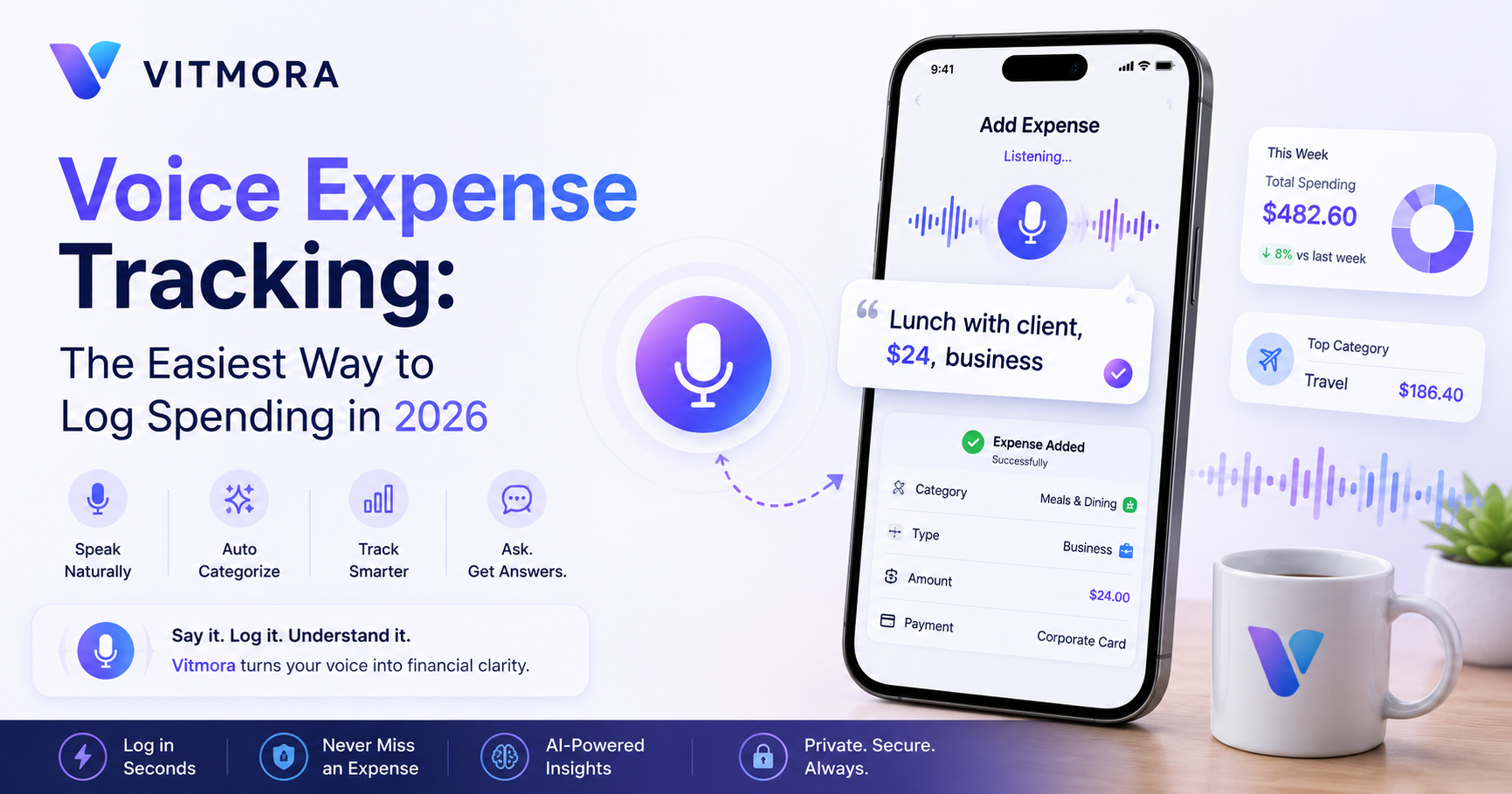
You do not lose control of spending because you never notice it. You lose it because the moment passes before you can log it. A coffee between meetings, a taxi after a delayed flight, dinner while working late — each one is small, but the delay between purchase and recording is where clarity disappears.
That is why voice expense tracking is becoming one of the most practical finance habits in 2026. With Vitmora, you can speak the expense naturally — the same way you remember it — and let the app turn that sentence into a clean record. Then Ask Vitmora turns those records into useful decisions.
Log in seconds. Learn in patterns.
The real problem is not tracking — it is interrupting your day
Most professionals do not ignore expense tracking because they are careless. They ignore it because traditional finance workflows interrupt momentum. Open app. Choose category. Type notes. Attach receipt. Remember later. That is a lot of friction for a coffee, taxi, airport snack, or client lunch.
By the time the workflow finishes, the moment is gone — and usually the expense too.
Voice expense tracking changes the habit entirely. With a voice budgeting app or hands free expense tracker, spending can be captured in the same second it happens:
- “Coffee with Dana, $7.80, client meeting.”
- “Taxi to downtown, business travel.”
- “Hotel breakfast, tag as travel.”
Vitmora’s natural language expense tracking parses these entries automatically, helping professionals spend less time organizing transactions and more time staying focused on work, travel, and daily life.
That is why conversational finance tools feel different in 2026. Typing belongs to the desk. Voice belongs to airports, hallways, kitchens between calls, coworking spaces, and rides home after long meetings.
Then the Vitmora assistant turns logs into answers:
- “What did I spend on travel this week?”
- “Show my uncategorized expenses.”
- “Where is my dining budget drifting?”
Smart expense tracking is no longer a spreadsheet task. It is a sentence.
Why traditional expense logging breaks under real-life speed
Most people assume they will “log it later.” Reality usually works differently.
A lunch becomes three separate meals. A coffee disappears from memory. A quick taxi turns into an unreviewed charge sitting inside a banking app for weeks. The issue is rarely awareness. It is timing.
Traditional expense tracking systems were built around delayed organization:
- manual typing
- spreadsheet cleanup
- receipt sorting
- end-of-week reviews
Modern spending happens much faster than that workflow can handle.
In 2026, professionals move through dozens of small transactions daily:
- Apple Pay taps
- Google Pay purchases
- ride shares
- subscriptions
- airport meals
- remote work expenses
- quick business purchases
The easiest system is the one that fits the moment naturally.
That is where voice expense tracking becomes powerful. Instead of translating life into accounting language, Vitmora lets users simply speak:
- “Lunch with Priya, $24, client meeting.”
- “Bought noise-canceling headphones for remote work, $189.”
- “Taxi from airport to hotel.”
Vitmora converts those spoken entries into structured financial records automatically.
It feels less like bookkeeping and more like talking to a smart assistant.
Notes vs spreadsheets vs voice expense tracking
| Method | Biggest Problem | What Happens Over Time |
|---|---|---|
| Notes app | No structure or categorization | Expenses become impossible to review clearly |
| Spreadsheet tracking | Manual effort and delayed logging | People stop updating consistently |
| Banking apps | Limited context and poor organization | Transactions stay fragmented |
| Voice expense tracking | Requires strong natural-language parsing | Fast capture with better consistency |
| Vitmora | Built around conversational workflows | Spending becomes easier to understand and review |
How Vitmora turns spoken expenses into usable insights
The best finance workflow is usually the one that disappears into daily life.
Instead of opening multiple fields and deciding where every coffee belongs, users can simply say:
- “Spent 18 euros on a train snack at Milan Centrale.”
- “Client dinner in Boston, 84 dollars, split with Maya.”
- “Monthly Zoom subscription for remote work.”
Vitmora parses the amount, context, likely category, and spending type automatically.
That is natural language expense tracking without the translation tax.
For professionals, travelers, freelancers, and remote workers, that matters because modern spending rarely happens while sitting calmly at a desk. It happens:
- between meetings
- inside airports
- during travel days
- inside ride shares
- while multitasking
The old workflow asked people to remember life later.
The new workflow captures life while it happens.
Then the Vitmora assistant turns those logs into practical visibility:
- “What did I spend on travel this week?”
- “Show my workday meals in Paris.”
- “Which subscriptions increased this month?”
- “What were my highest work-related expenses?”
You get insight, not just storage.
In 2026, the best voice budgeting app is not the one with the most fields. It is the one that quietly fits your workflow and speaks up when the patterns matter.
Before vs after: from delayed memory to a clean financial routine
Before voice expense tracking, most people rely on memory reconstruction.
The taxi. The airport coffee. The coworking pass. The client lunch.
By evening, expense tracking starts feeling like archaeology.
Most people assume they need a dedicated “finance session” to stay organized. Reality: most spending habits succeed or fail inside tiny moments.
With Vitmora, those moments become simple:
- “Taxi to the hotel, 18 euros, business trip.”
- “Lunch with client in Berlin, 34 euros.”
- “Coffee during delayed train, $9.80.”
Vitmora reads the plain-language entry, tags the likely category, and creates a structured record without forcing users into rigid finance forms.
That is the power of conversational expense tracking.
For busy professionals and remote workers, the benefits are practical:
- fewer forgotten expenses
- less manual cleanup
- better memory accuracy
- clearer spending reviews
- faster financial visibility
A modern expense tracker should feel invisible while capturing the details that matter.
Real-world voice expense tracking examples
Modern spending happens quickly and usually between other responsibilities.
A coffee after a client call. A train ticket between meetings. A coworking pass in a new city. A subscription renewed during travel.
These expenses are small individually, but collectively they shape the month.
In Vitmora, users can simply say or type:
- “Lunch with Dana, $24, client meeting.”
- “Taxi from airport to hotel, $38, business trip.”
- “Monthly Zoom subscription, remote work.”
- “Team dinner in London, split expense.”
Vitmora extracts the amount, category, context, and likely spending pattern automatically.
The result feels less like bookkeeping and more like talking to a sharp assistant that remembers details better than you do.
Then the Vitmora assistant transforms those entries into useful decisions:
- “How much did I spend on travel this week?”
- “What are my top work-related expenses?”
- “Where is my dining budget drifting?”
- “Show recurring subscriptions I forgot to review.”
Less admin. More signal.
That is the real promise of conversational expense tracking in 2026.
Mistakes that make voice expense tracking feel unreliable
Most frustration comes from weak logging habits, not weak software.
The biggest mistake is waiting until the end of the day to reconstruct spending. By then:
- “Lunch” could mean multiple meals
- the coffee stop disappears
- small purchases lose context
Voice logging works best in the moment while memory is still fresh.
The second mistake is vague entries.
Examples:
- “Taxi” is weaker than “Taxi to client office, $24.”
- “Snacks” is weaker than “Coffee and pastry after train delay, $9.80.”
Vitmora’s natural-language parsing is designed to understand context, but better inputs create better insights.
The third mistake is combining multiple purchases into one messy note.
Separate entries create cleaner patterns later, especially when reviewing:
- travel spikes
- meeting-heavy weeks
- remote-work expenses
- recurring subscriptions
Clean inputs create clean visibility.
What the Vitmora assistant changes once the data already exists
Capturing expenses is only the first layer.
The real value begins once spending data becomes searchable conversationally.
Instead of manually filtering categories and spreadsheets, users can simply ask:
- “How much did I spend on meals during my Berlin trip?”
- “What were my highest workweek costs last month?”
- “Show recurring subscriptions I forgot to review.”
- “Break down dining costs during travel.”
Vitmora reads natural entries, groups patterns intelligently, and turns scattered spending into a clearer financial picture.
That is what makes it a conversational expense tracker instead of just another logging tool.
For professionals, travelers, and remote workers, the payoff is simple:
- less financial admin
- faster decisions
- better awareness
- fewer surprises
If logging is the doorway, the Vitmora assistant is where the useful answers begin.
FAQ: Is voice expense tracking better than spreadsheets?
Is voice expense tracking secure enough?
Yes, when built properly for finance workflows. A good voice budgeting app should allow users to review entries before saving, edit records later, and maintain full visibility over spending history. The goal is faster logging without losing control.
Can voice logging handle mixed personal and work expenses?
Absolutely. That is where natural-language expense tracking becomes useful. Users can say things like “Lunch with client, $28, business” or “Hotel Wi-Fi, $14, project travel,” and Vitmora converts those details into structured records automatically.
What if I already use spreadsheets?
Spreadsheets still work well for reporting and long-term review. The problem is relying on them for memory capture. Voice expense tracking captures purchases while they happen instead of depending on delayed reconstruction later.
For professionals, travelers, and remote workers, that difference matters more than most people realize.
Explore Vitmora through the homepage, the AI budget app, the AI income tracker, or the money tracker for professionals.
The best expense tracking system is usually the one that fits naturally into real life. Voice expense tracking gets closer to that than spreadsheets ever did.